Why a consistent closing routine matters
After a long service, everyone wants to go home. That is precisely when mistakes happen: an open table is forgotten, a card payment is registered incorrectly or the cash drawer is not checked. A short, consistent routine makes administration more reliable.
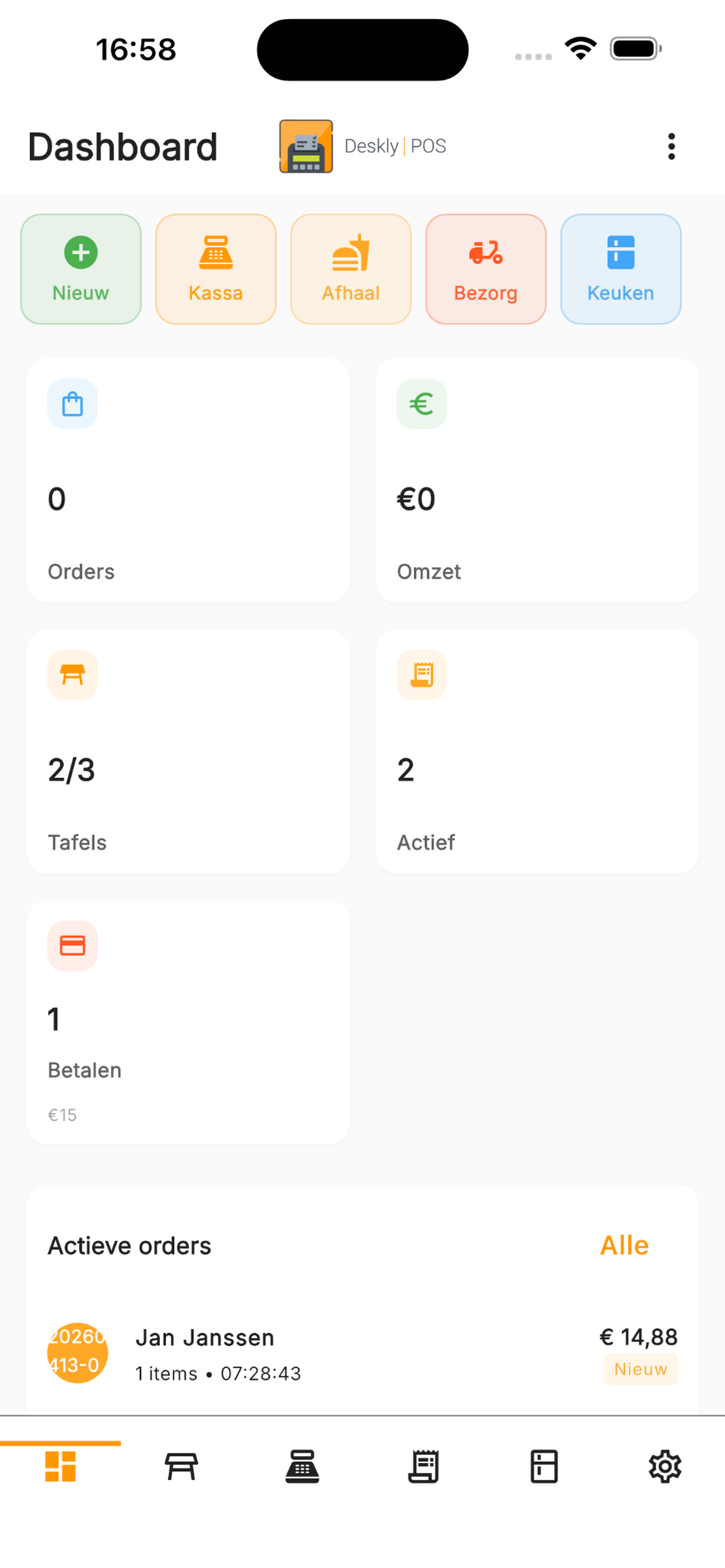
Step 1: check open orders
Confirm that every order has been completed. Review open tables, parked orders, takeaway orders and payments on account. An open order can distort revenue reporting and handover.
Step 2: compare payment methods
Compare POS totals with the payment methods used:
- Cash
- Card payments
- Combined payments
- Payments on account
- Refunds and corrections
With a connected terminal, information is processed through the payment flow. If you use a standalone reader, check whether its total matches the card payments registered manually in Deskly POS.
Step 3: count the cash drawer
Use a fixed opening amount and record the closing amount. The difference should match cash revenue and any expenses paid from the drawer. Investigate discrepancies immediately.
Step 4: review revenue and exceptions
A daily report is useful beyond accounting. Review:
- Revenue by time period
- Best-selling products
- Discounts and cancelled orders
- Refunds
- Unusual differences
Step 5: create a short handover
Record technical issues, stock shortages, tomorrow's reservations and other points of attention. The next team starts with context instead of surprises.
Make closing predictable
A good closing routine does not need to take an hour. A fixed order, clear responsibilities and reliable reporting help the team finish quickly and carefully.