Table Overview: The Heart of Your Restaurant
Imagine a full dining room, a busy terrace and a kitchen running at full speed. A smart digital table overview gives your team one shared source of truth.
What is a digital table overview?
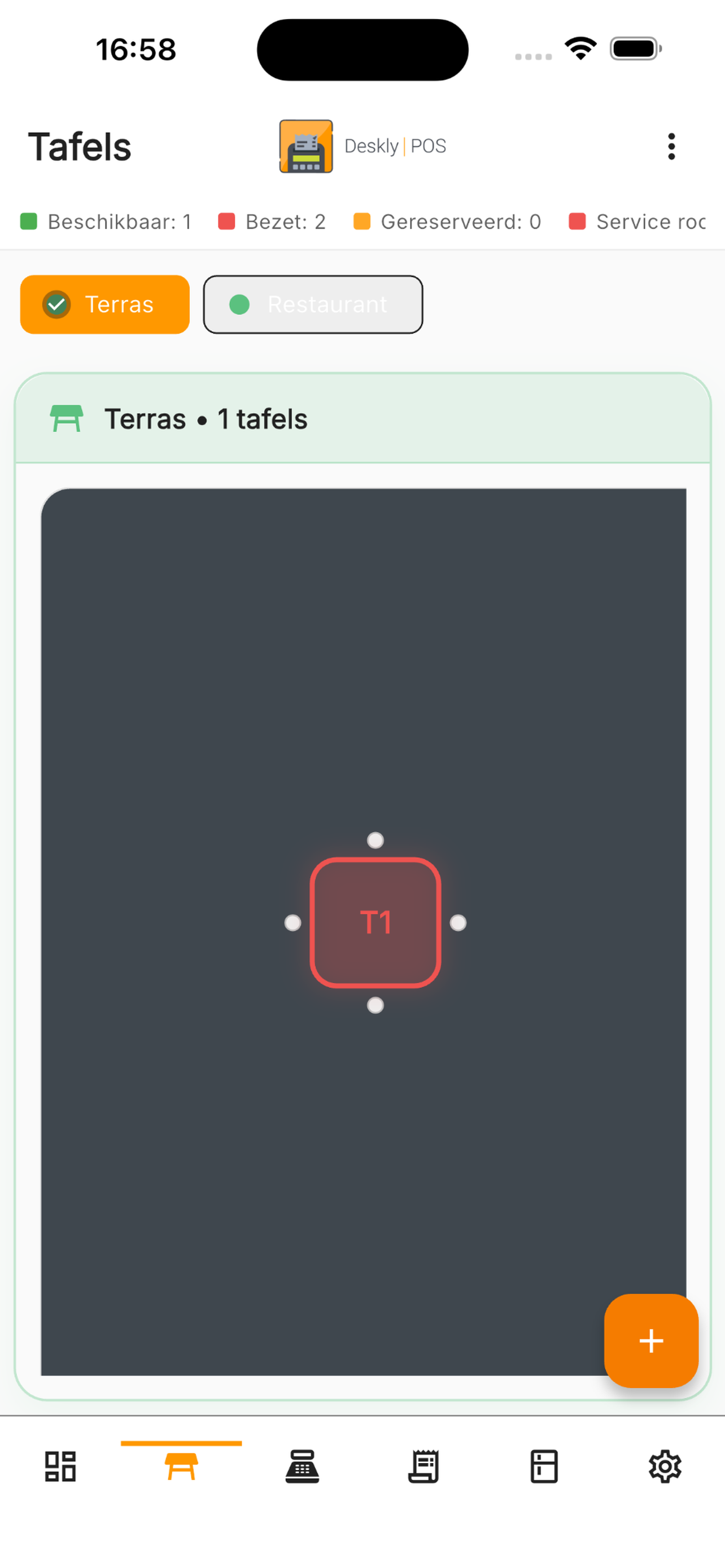
A digital table overview shows the status of every table at a glance:
- Available: Ready for new guests
- Occupied: Guests are seated
- Ordered: The order has been sent to the kitchen
- Served: Food is on the table
- Checkout: Guests are ready to pay
It can also show how long a table has been occupied, which dishes have been served, which orders are still open and which staff member is responsible.
How a table overview increases revenue
1. Faster table turns
When you see which tables are almost ready, you can prepare the next seating earlier and reduce empty minutes between services.
2. Fewer mistakes
Orders are linked to the correct table, so staff no longer mix up table numbers or handwritten notes.
3. Better communication
The kitchen sees priorities, and front-of-house staff know exactly which tables need attention.
4. Split bills
Modern table overviews support split payments by person, item or group. That is especially useful for business dinners and groups of friends.
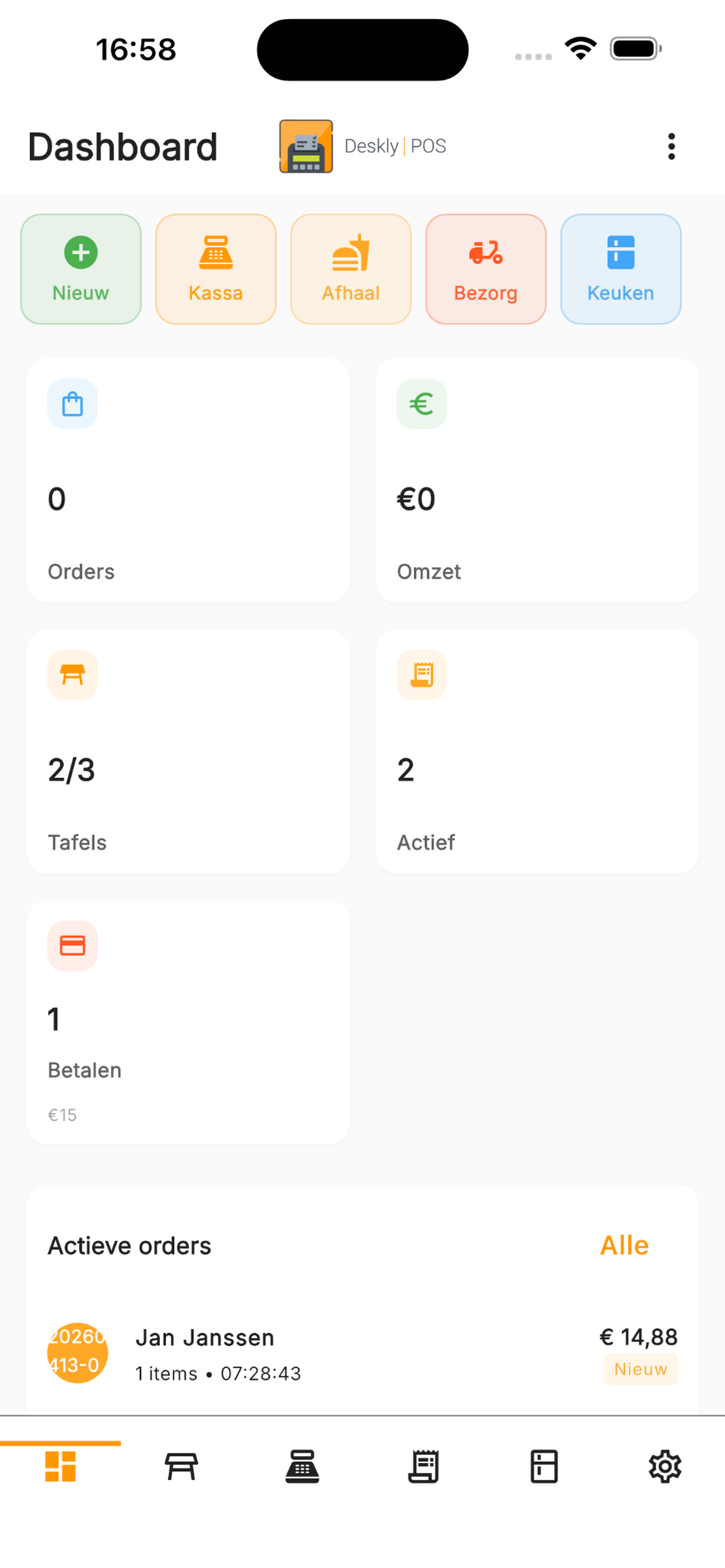
Table overview and data
Deskly POS helps you understand table duration, revenue per table, peak moments and staff performance. With that data, you can improve your floor plan, staffing and service flow.
*"We generate around 15% more revenue since using a digital table overview. Tables turn faster and we make far fewer ordering mistakes."* — Restaurant manager, Amsterdam
Tips for best results
Use clear colour coding, connect reservations, keep historical data and work with a visual floor plan. The more visible the status is, the easier it is for your team to act quickly.
Deskly POS Table Overview
The Deskly POS table overview is available from the Basis subscription. You can design your own floor plan with tables, bar, terrace and more.
Try it free for 30 days and discover how much smoother your service can be.